Understanding Fabrication Files
Overview
Fabrication files are files that can be uploaded to a fabricator or turn-key
manufacturer such as JLCPCB or PCBWay to get an entire circuit board made. tscircuit includes three
main types of files inside our fabrication files zip:
- Gerbers These represent each copper layer of the PCB. We also include drilling holes and board cutouts
- Bill Of Materials CSV - Contains every component its manufacturer part number (MPN) and supplier part numbers for each supplier
- Pick'n'Place CSV - Contains every component and its position on the board
How to get fabrication files
Web
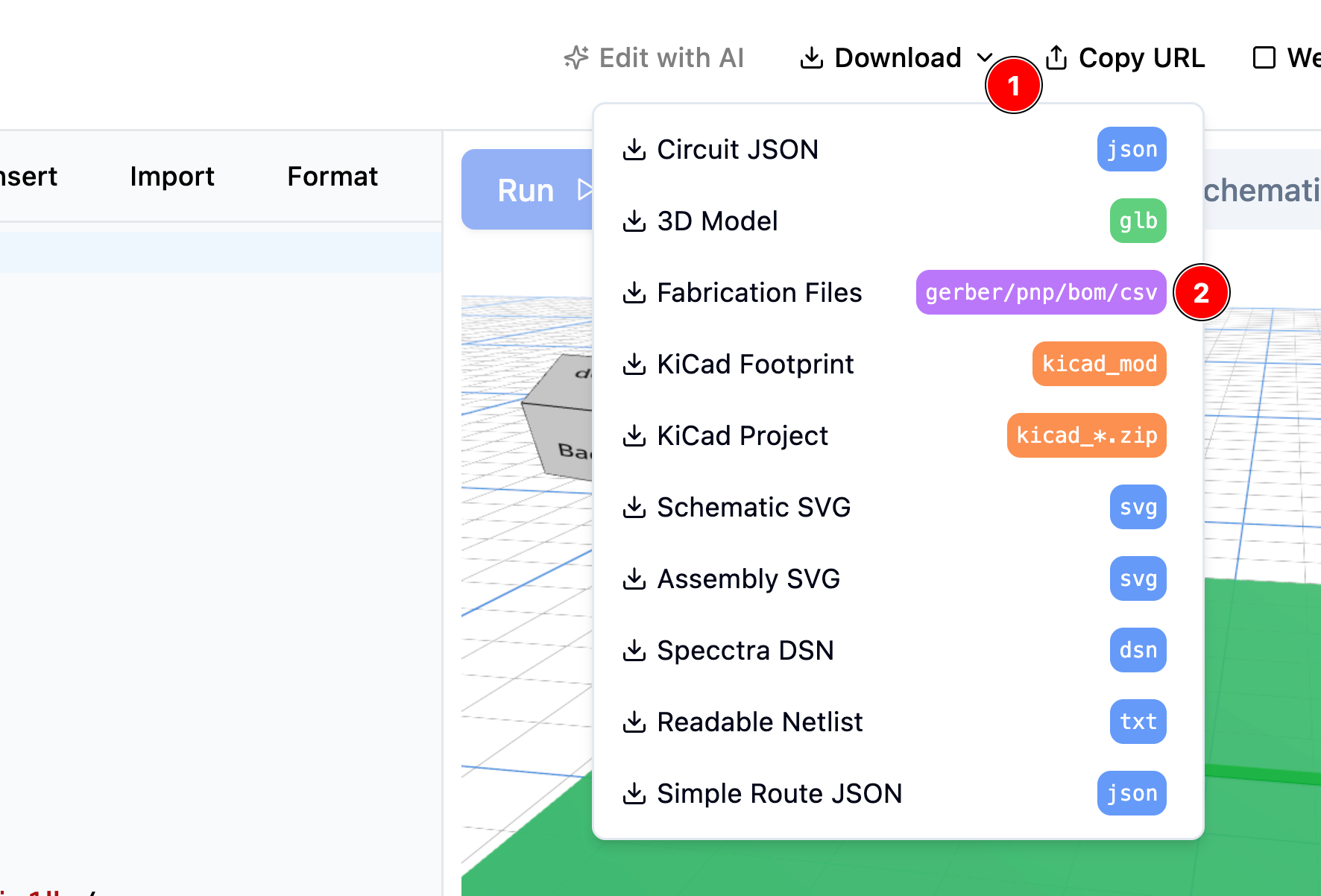
On the web, you can just hit "Download" or "Export" on any circuit, then hit "Fabrication Files"
CLI
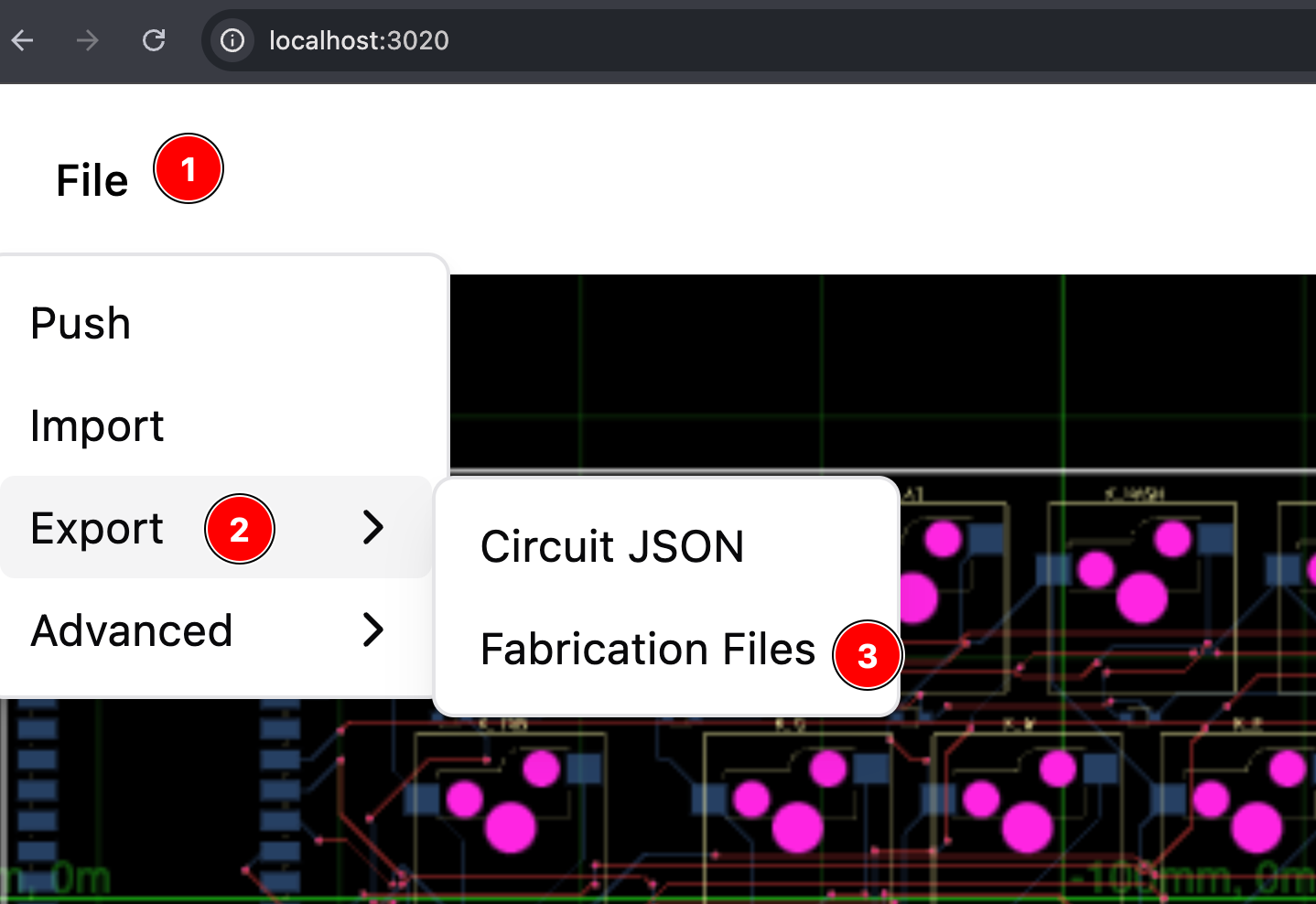
The easiest way to get fabrication files is to go to File > Export > Fabrication Files
in the web browser after doing tsci dev
What's inside the zip file?
The zip file contains three types of files:
gerbersDescribes the copper layers of your PCBbill-of-materials.csvThis is a csv file with the components in the circuit and their quantity.pick-n-place.csvThis is a csv file with the components in the circuit and their position on the board.